
A Sales CRM That Fills Itself In From Your Calls
A CRM for sales teams where calls and emails land in the right deal on their own: amount, line items, tasks from what was promised, and a pipeline report.
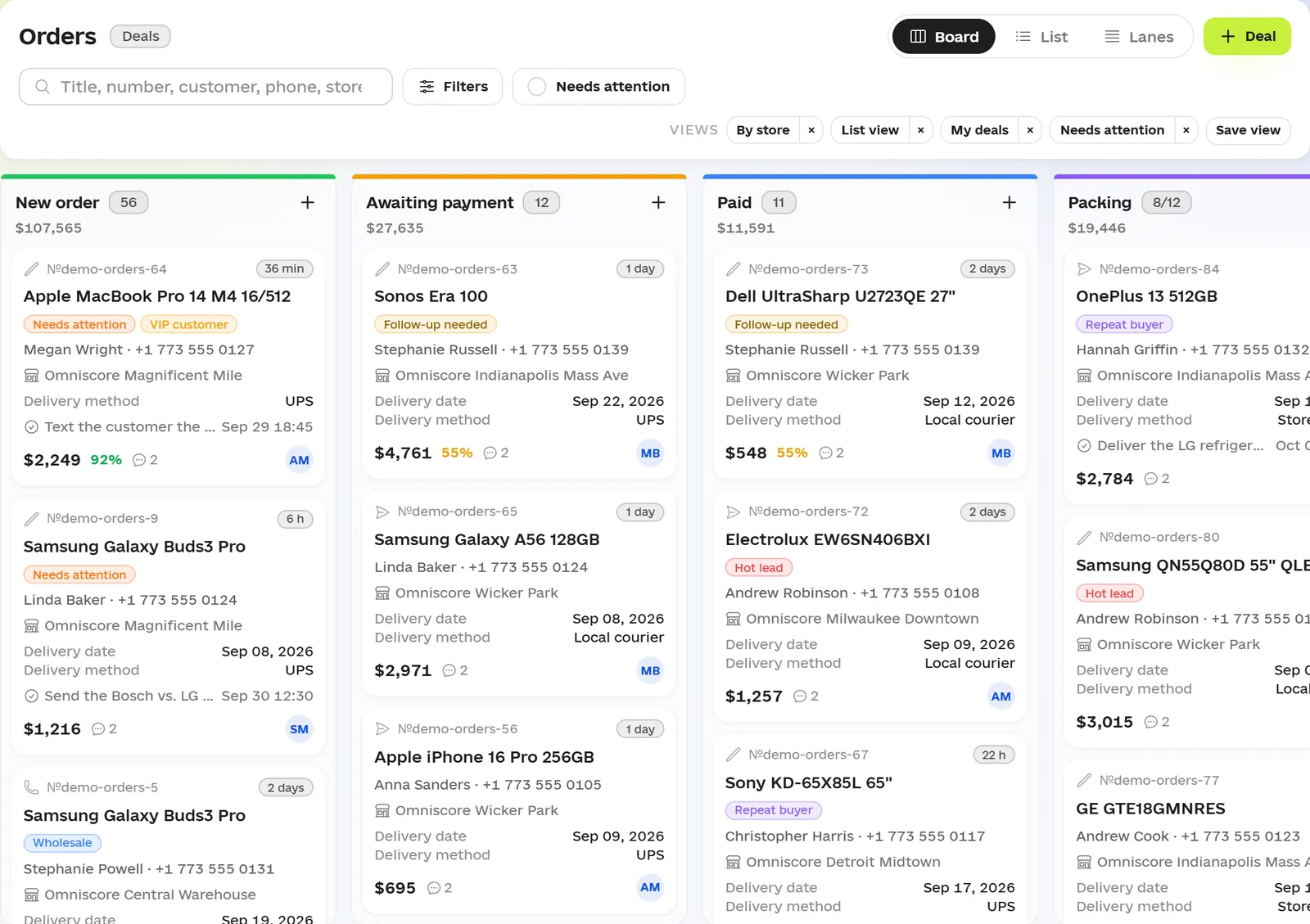
In many sales teams the CRM is half empty. After a call, the rep is supposed to create a deal, enter the amount, set a task and write up the call — and the next customer is already on the line. Promises live in people’s heads, and the pipeline your manager sees isn’t your real sales — it’s whatever someone had time to type in.
Omniscore comes at this from the other side: conversations fill the CRM. AI reviews every call and email, and the deal gets the amount, the line items and the full conversation history without manual entry. The rep only checks and confirms.
Where deals get lost when the CRM is filled in by hand
- Deals that never made it into the system. There was a call but no deal card — so no task and no follow-up.
- Promises without tasks. “I’ll send the proposal on Thursday” never reaches the calendar, and on Thursday nobody remembers it.
- Deals stuck in a stage. Without an SLA, a deal that’s been waiting a week for payment looks the same as yesterday’s.
- History that leaves with the rep. When a rep quits, the story of their customers goes with them.
- Cards without context. The CRM says “customer is thinking”, and only the person on the call knows what actually stopped them.
How a deal fills itself in
Omniscore sits on top of the phone system and mailboxes you already use. From there, conversations land in deals on their own:
| What happened | What shows up in the CRM |
|---|---|
| A customer called or emailed | The conversation in the customer’s deal: summary, outcome, score and next step |
| The customer picked a product or service | The amount and line items in the deal — the rep just confirms them |
| “Call me back on Thursday” | A task for the rep with a due date |
| The customer has several open deals | The conversation goes to the “Review” queue — the rep picks the deal in one click |
| A deal went past its stage SLA | It’s highlighted on the board and shows up in Omni’s answer to “What needs my attention?” |
Every call review has a “CRM deals” block: which of the customer’s deals the AI linked the call to, and which stage each one is in.
What’s in the CRM
Pipelines and a deal board
Leads, orders and wholesale can live in separate pipelines, each with its own stages. A deal card shows the amount by line item, the owner, the customer’s contact details, the stage and time in stage, plus delivery details for orders. Every stage gets an SLA, and overdue deals are highlighted. Reps pick a loss reason from a fixed list, so after a month you know exactly why your team loses customers. Automation rules create tasks, move deals forward and message customers from templates — and a rule can be set to ask a person first.
Tasks from conversations
A promise made on the call — “call back on Thursday” — becomes a task with a due date on its own. The To do / In progress / Done board shows who is doing what by when, and anything overdue is highlighted in red.
Calendar
Deals sit on their delivery or close date and tasks on their hour, for the whole team, by month or by week. A red “now” line shows what should already have happened.
One timeline per customer
Calls and emails from any mailbox (IMAP) live in one timeline per customer. Reps reply from Omniscore, and AI drafts the reply from your knowledge base. New customers can be assigned in rotation or by workload, and the manager sees who has been waiting for a reply, and for how long.
What the sales manager sees
The pipeline report answers three questions: how many deals reached the finish line, where the rest got stuck, and how long it took.
| Metric in the report | What it shows |
|---|---|
| Entered, won, lost, value won | The period’s results in deals, percentages and dollars |
| Reached stage | The biggest drop between neighboring stages — your bottleneck |
| Time in stage, median | Where deals sit the longest |
| Past SLA | How many deals have been stuck longer than they should |
| Lost from here | Which stage deals are most often lost from |
Next to it are reports on revenue (with who closed each deal), missed calls, order fulfillment and rep KPIs.
And every morning you can simply ask Omni: “What needs my attention?” Omni answers from your data — say, one deal has been in “Awaiting payment” for three days and is past its SLA, and another has an overdue “Confirm payment” task. It suggests the action — move the deal, create a task, add a note — as a card, but never changes anything on its own and sees only what your login can see.
You can start without switching
You don’t have to move to a new CRM overnight. Start with AI review of your conversations — AI call analysis — and turn on the CRM later. If your deals live in another system, the REST API and webhooks keep them in sync; see the integrations page for the details.
If you switch right away, start with a single pipeline and bring over only what’s live: customers and open deals.
Pricing and pilot
The CRM is an Omniscore module at $79 a month, and that price doesn’t depend on team size. It runs on top of the Omni core ($149 a month for a team of up to 10, $59 for each additional 5 people), which covers calls, AI review of every conversation, reports and Omni — the conversations that fill your deals. A separate location, brand or team is another $19 a month. AI review is billed from a prepaid balance as you go, about 2¢ for a 1–2 minute call. Build your setup in the calculator on the homepage; all the terms are on the pricing page.
The pilot runs for 14 days on your own calls and email, with up to 1,000 minutes of analysis, no prepayment and no contract. We connect your calls and mailboxes, set up your sales stages as a pipeline, and your team works in the CRM on real deals. At the end we meet to walk through where deals slip away, and you decide whether to continue. Request a pilot.